Your business printing process may have worked fine when you only needed a few business cards, a flyer now and then, or a simple sign for the front desk. But as your company grows, printing gets more complicated. More people request materials. Deadlines get tighter. Brand standards matter more. A small mistake can affect a campaign, an event, or a customer-facing presentation.
Many teams don’t realize they’ve outgrown their current process until print projects start causing stress. Maybe files are missing bleed. Maybe the wrong version gets ordered. Maybe someone is driving across town to approve a proof at the last minute. These are usually signs that the workflow needs attention, not that your team is doing anything wrong.
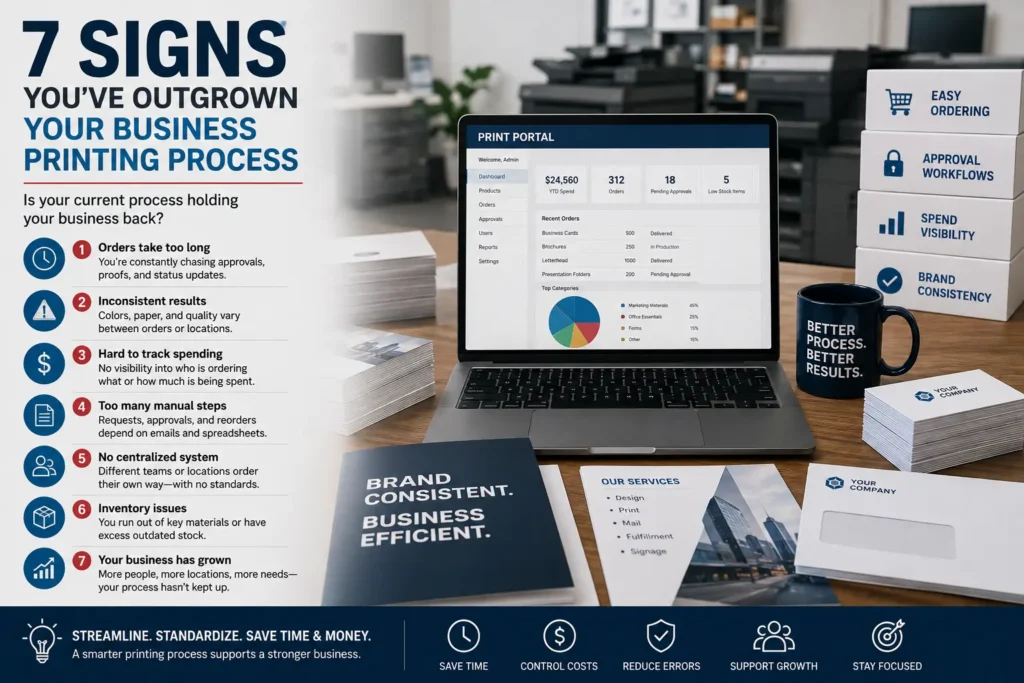
Here are seven practical signs your business has outgrown its current printing process, along with what to review before your next order.
Why Your Printing Process Matters More as You Grow
Printing is often treated as a final step, but it touches marketing, sales, operations, events, HR, and customer service. When the process is unclear, every project takes longer than it should. Staff spend time searching for artwork, asking for approvals, checking quantities, and fixing preventable file issues.
A stronger process doesn’t have to be complicated. It can be as simple as using approved templates, confirming specs early, setting realistic approval dates, and working with a printer that understands repeat business needs. If your team regularly orders flyers, business cards, envelopes, brochures, direct mail pieces, signage, or event materials, it’s worth looking at how those jobs move from idea to finished product.
For a broader overview of common print needs, Premier Printing Services has a helpful guide to business printing that can help teams think through common products and use cases.
7 Signs Your Business Printing Process Needs an Upgrade
1. Every print order feels like starting from scratch
If your team has to locate logos, rewrite instructions, re-confirm paper choices, and rebuild specs for every order, your process is probably too informal. This becomes especially frustrating for repeat items like business cards, letterhead, sales sheets, forms, menus, postcards, and event signage.
A better approach is to document the details that repeat often. Keep approved artwork, brand colors, paper preferences, finishing notes, delivery instructions, and reorder quantities in one place. If different departments order different materials, note who approves what.
This is also a good time to ask your printer whether frequently ordered pieces can be set up for easier reordering. For growing companies or teams with multiple users, an online ordering workflow or customer portal may help reduce back-and-forth. This article on why small businesses benefit from a dedicated portal explains when that type of setup can be useful.
2. You’re missing deadlines because approvals happen too late
Print deadlines usually get missed before the file ever reaches production. Copy is still being edited. A manager hasn’t approved the final version. Someone is waiting on a logo, mailing list, QR code, sponsor ad, or updated phone number.
Build time into your schedule for writing, design, internal review, proofing, production, finishing, packing, and delivery or pickup. The exact timing will depend on the product, quantity, materials, finishing, and current production schedule, so it’s always best to confirm timing with the print shop before you commit to a launch date or event deadline.
If deadlines are a recurring pain point, use a checklist before submitting files. Premier’s print deadline checklist for artwork, copy, and approvals is a useful reference for catching common delays earlier.
3. File issues keep slowing down production
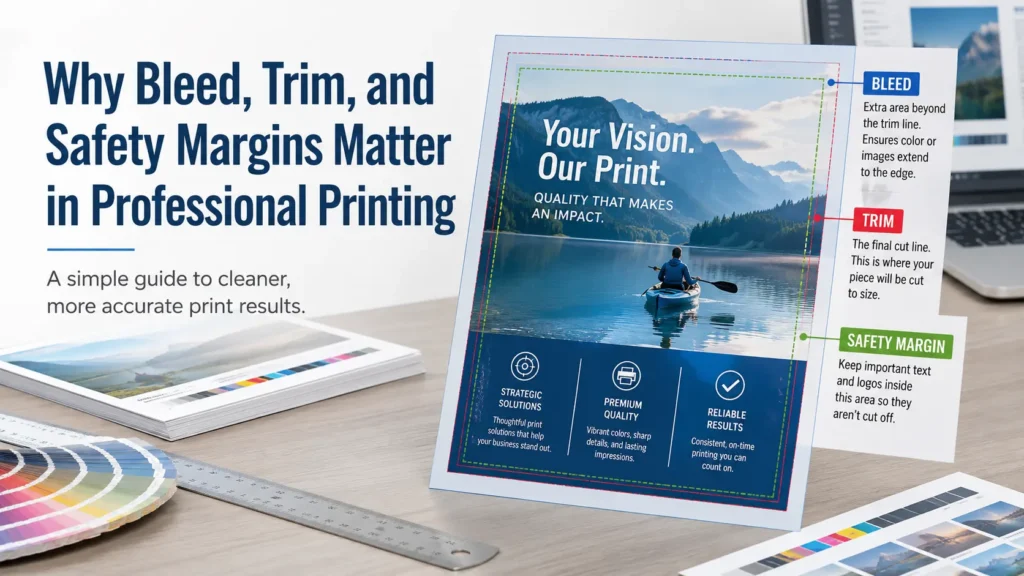
File setup problems are one of the most common reasons print projects stall. The design may look fine on screen, but production can still run into missing fonts, low-resolution images, incorrect color setup, no bleed, small safety margins, or artwork built at the wrong size.
Before ordering, confirm the final size, bleed requirements, safe area, image quality, color expectations, and file format with the printer. Requirements can vary by product and production method, so don’t assume the same setup works for every job.
If you’re unsure whether your file is ready, review Premier’s Prepress Toolkit. It covers important setup topics such as artwork, bleed, resolution, color, and proofing. You can also read more about bleed, trim, and safety margins if your team regularly prepares files in-house.
4. Your printed materials don’t look consistent
Inconsistent print materials can make a growing business look less organized than it really is. One flyer uses an old logo. Business cards have different fonts. Brochures use slightly different colors. Event signs don’t match the campaign graphics.
This often happens when multiple people create or order print pieces without shared brand files or approval steps. A cleaner process should include current logo files, brand colors, preferred fonts, approved messaging, and examples of finished pieces that match your standards.
Color can vary depending on paper, coating, ink coverage, file setup, and production method, so it’s smart to discuss expectations before production. If color consistency is especially important, ask your printer about proofing options and what they recommend for your project.
5. You’re ordering the wrong quantities
Ordering too few pieces can create rush reorders. Ordering too many can leave boxes of outdated materials in a storage closet. Both issues are common when no one is tracking usage or upcoming needs.
Look at how quickly your team uses common items. Are certain brochures handed out every week? Do sales reps need leave-behinds for a trade show? Are postcards tied to a short promotion? Are business cards for new hires needed regularly?
For repeat projects, keep notes on order quantities, usage dates, and leftovers. Your printer may also be able to suggest practical production considerations, but final quantities should be based on your campaign, distribution plan, storage space, and budget.
6. Paper and finishing choices are being made too late
Paper and finishing choices affect how a piece feels, how it folds, how it mails, how durable it is, and how it fits your budget. If these decisions are made after the design is finished, you may need to adjust the artwork or timeline.
For example, a heavy stock may feel more substantial for a premium handout, while a lighter stock may make sense for certain high-volume pieces. A folded brochure needs the correct panel setup. A mailed piece may need to meet postal layout and processing requirements. Coatings, binding, scoring, drilling, tabs, and other finishing options can also affect production planning.
If you’re not sure what to choose, ask early. Premier’s guide to paper choice for printing explains how stock decisions can change the final result.
7. Your team is spending too much time managing print details
One of the clearest signs you’ve outgrown your process is when printing takes time away from higher-value work. Office managers become file detectives. Marketing teams chase approvals. Owners get pulled into small ordering decisions. Nobody knows which version is final.
At that point, the issue isn’t just printing. It’s workflow. A professional print partner can help organize specs, review files, flag production concerns, and guide you through options before the job is on a deadline. For larger organizations or recurring orders, corporate printing services or multi-location business printing support may be a better fit than handling each project manually.
What to Review Before Changing Your Print Workflow
Before you request a quote or rethink your process, gather the basics. You don’t need every detail solved, but the more information you have, the easier it is for a printer to guide you.
- Project type: Flyer, brochure, postcard, business card, booklet, sign, envelope, mailer, or another item.
- Final size and quantity: Include flat and folded sizes when relevant.
- Paper or material preference: If you’re unsure, ask for recommendations based on use.
- Finishing needs: Folding, binding, coating, scoring, drilling, numbering, mailing, or packaging.
- Artwork status: Print-ready file, draft file, Canva or design file, or design help needed.
- Deadline: Include the real in-hand date, not just the event or launch date.
- Approval process: Who signs off on copy, design, proof, and final quantity?
If your artwork is still in progress, it may help to involve prepress or design support earlier. Premier offers prepress and graphic design services for teams that need help preparing files, adjusting artwork, or getting projects production-ready.
When to Ask a Print Professional for Help
You don’t have to wait until something goes wrong. Ask for help when a project has a hard deadline, unusual size, special paper, multiple versions, mailing requirements, large quantities, or several stakeholders. It’s also smart to ask early if you’re unsure whether your artwork is ready for print.
A good print conversation can prevent common mistakes before they cost time. You can confirm file setup, proofing expectations, paper options, finishing details, and realistic production planning. For small teams, this guidance can make the difference between a stressful rush and a controlled project.
Conclusion: A Better Business Printing Process Saves Time
If your team is dealing with repeat file issues, missed approvals, inconsistent branding, rushed orders, or confusing reorders, your business printing process may need an upgrade. The goal isn’t to add more steps. It’s to make the right steps clearer, so projects move forward with fewer surprises.
Premier Printing Services can help you review your next project, prepare files, choose practical print options, and plan a smoother workflow for repeat orders. Contact Premier Printing Services for more information or help with your next print project.