If your team orders the same print materials again and again, a corporate printing portal can make the process much easier to manage. Instead of digging through old emails, re-uploading files, or asking someone to confirm the latest logo version, your team can order approved materials from one central place.
For small business owners, office managers, and marketing teams, this can be especially helpful when multiple people order business cards, brochures, flyers, envelopes, forms, signage, or direct mail pieces. A portal helps keep the ordering process organized while protecting brand consistency.
It doesn’t replace communication with your print shop. You’ll still want expert help for custom projects, new layouts, paper recommendations, mailing questions, and unusual specs. But for repeat print orders and template-based materials, a portal can save time and reduce mistakes.
What Is a Corporate Printing Portal?
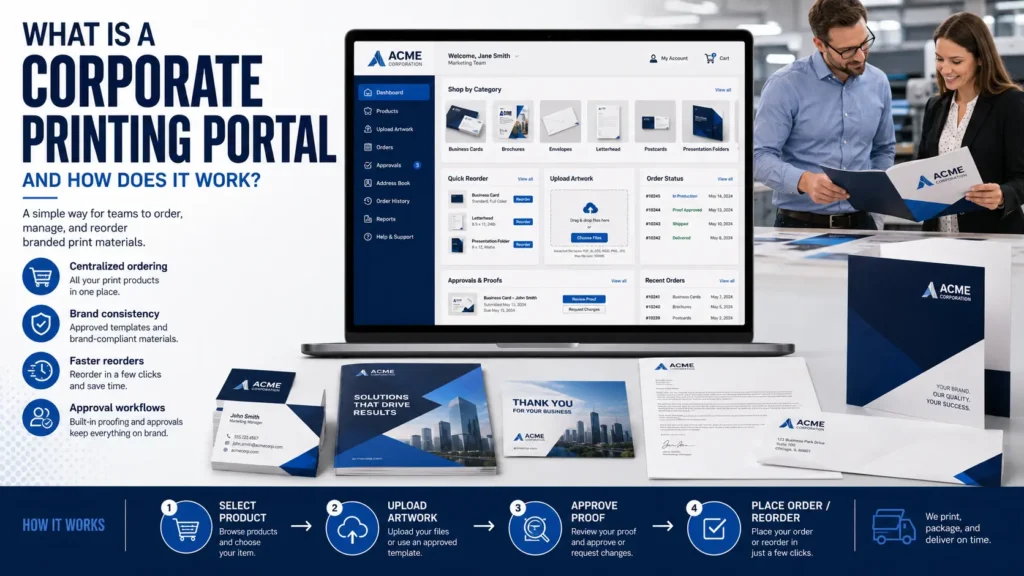
A corporate printing portal is an online ordering site built for a specific business, organization, or team. It usually contains approved print products, brand templates, saved artwork, user permissions, and ordering tools that make reordering easier.
You may also hear it called an online print ordering portal, branded print portal, web-to-print portal, or print management portal. The basic idea is the same. Your team logs in, chooses from approved items, customizes allowed fields if needed, reviews a proof, and submits an order or quote request.
For example, a company might use a portal for business cards, letterhead, envelopes, sales sheets, training manuals, trade show handouts, postcards, and storefront materials. A larger organization might give different departments or locations access to only the items they’re approved to order.
If you’re still figuring out what print support your business needs, Premier Printing Services offers general corporate printing and business printing services that can help you decide whether a portal makes sense.
How a Corporate Printing Portal Works
Every portal is set up a little differently, but most follow a similar workflow. The goal is to make routine print ordering predictable without forcing your team to start from scratch every time.
1. Approved products are added to the portal
Your print shop works with you to identify the items your team orders most often. This might include business cards, branded flyers, presentation folders, sell sheets, HR forms, postcards, envelopes, labels, banners, or event materials.
Each product can be set up with the correct size, paper options, finishing choices, artwork, and any customization fields your team is allowed to edit. Exact options depend on the project and the print provider, so it’s always smart to confirm specs before production.
2. Brand templates are created
Templates help keep logos, colors, fonts, and layouts consistent. A user may be able to update a name, title, phone number, office address, event date, or location, while the rest of the design stays locked.
This is useful when many people need similar materials but shouldn’t be changing the layout. It’s especially common for sales teams, franchise groups, real estate offices, schools, nonprofits, healthcare practices, and multi-location companies.
3. Users log in and place orders
Once the portal is ready, approved users can log in and choose what they need. Depending on the setup, they may be able to select quantities, paper stocks, finishing options, shipping details, and billing information.
Some portals are built for direct ordering. Others are designed to collect order details first so the print shop can review the request and provide a quote. If your projects vary often, a quote-based workflow may be the better choice.
4. Proofs and approvals are handled before printing
Proofing is one of the most important steps in any print workflow. A portal may generate an online proof for template-based items, but someone still needs to review names, phone numbers, addresses, dates, QR codes, spelling, and layout details.
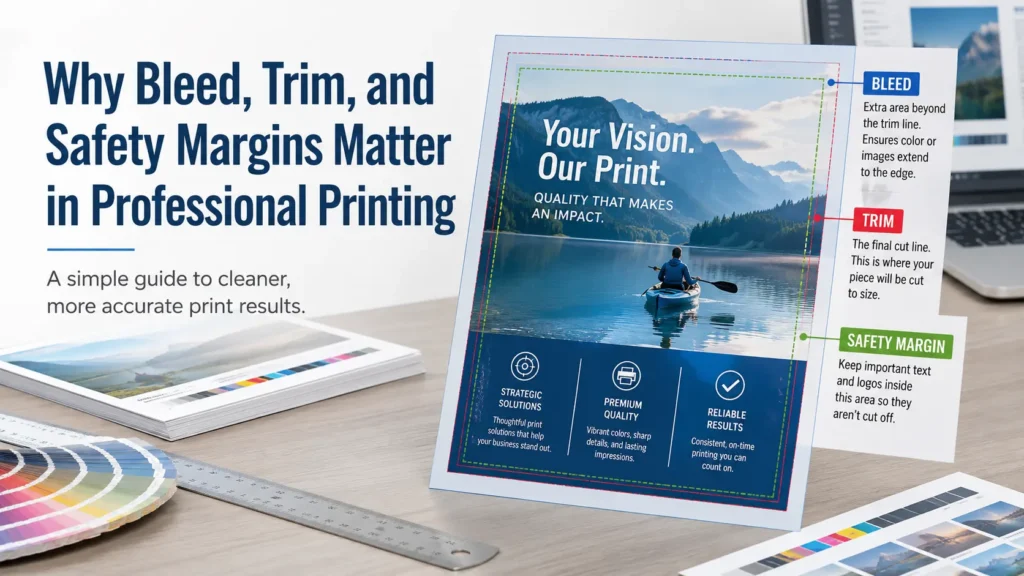
For larger projects or new artwork, your print shop may provide a digital proof or recommend additional review. If your files involve bleed, trim, color, image resolution, or file packaging questions, use the Premier Pre-Press ToolKit before submitting artwork. You can also review this guide to bleed, trim, and safety margins in printing if you’re setting up files internally.
5. Orders move into production
After approval, the order goes into the normal print production process. Timing can vary based on the item, quantity, paper availability, finishing, proof approval, mailing requirements, and current production schedule.
If you’re working toward a firm event date, campaign launch, or meeting, build in time for artwork review, approvals, production, finishing, and delivery. This print deadline checklist for artwork, copy, and approvals is a helpful resource when planning around deadlines.
Why Businesses Use Corporate Printing Portals
A portal is most useful when print ordering is repeated, decentralized, or brand-sensitive. If one person orders one brochure twice a year, a portal may not be necessary. If several employees, offices, or departments order branded materials every month, it can be very helpful.
Better brand consistency
When the right files and templates are stored in one place, there’s less chance someone will use an outdated logo, old address, wrong color, or low-resolution image. This matters for customer-facing materials like business cards, sales sheets, direct mail, and event displays.
Less back-and-forth
Without a portal, repeat print orders often live in email threads. Someone asks for the old file, someone else sends a screenshot, and the printer has to confirm which version is current. A portal can reduce that back-and-forth by giving users approved options from the start.
More control over who can order what
Many teams need different levels of access. An office manager may need to order all company materials. A sales rep may only need business cards and sales sheets. A branch location may only need materials with its local address.
Permissions can help control ordering and reduce accidental purchases of items that are not relevant to a user or location. For businesses with several offices, a multi-location business printing workflow can be a good fit.
Easier reordering
For repeat materials, a portal can make reordering faster. Users can often find the item they need, check the approved layout, adjust allowed fields, and submit the request without hunting through old orders.
Premier Printing Services also has a related article on why small businesses benefit from a dedicated portal if you want more detail on when this approach makes sense.
What Can You Order Through a Corporate Printing Portal?
The best portal items are usually repeatable and brand-controlled. Common examples include:
- Business cards and appointment cards
- Letterhead, envelopes, and forms
- Flyers, postcards, and sell sheets
- Brochures and presentation materials
- Training manuals and employee packets
- Direct mail pieces and campaign materials
- Retail signs, counter cards, and small displays
- Event handouts, badges, and directional signage
- Labels, stickers, and packaging inserts
Not every item belongs in a portal right away. Highly custom projects may still need direct estimating, design support, or production planning. For example, a complex booklet, large mailing campaign, or custom display may require a conversation before ordering.
Paper and finishing options should also be chosen carefully. A glossy flyer, uncoated letterhead, folded brochure, and outdoor banner all have different practical needs. If you’re unsure what stock is appropriate, this guide to paper choice for printing can help you prepare better questions before requesting a quote.
What to Prepare Before Setting Up a Portal
A good portal starts with good organization. Before setup, gather the materials your team uses most often and decide what should be standardized.
Helpful items to prepare include:
- Your current logo files and brand guidelines
- Approved colors, fonts, and layout rules
- Print-ready artwork for repeat items, if available
- A list of users, departments, or locations that need access
- Rules for who can approve orders
- Common quantities and delivery locations
- Any billing, PO, or cost center requirements
If your artwork is not print-ready, ask for help before building templates around it. Low-resolution logos, missing bleed, incorrect color setup, and inconsistent margins can create problems later. The Pre-Press ToolKit is a useful place to start, and Premier also offers prepress and graphic design services when files need cleanup or layout support.
Common Mistakes to Avoid
Uploading old or unapproved artwork
A portal is only as accurate as the files inside it. Before launch, confirm that logos, addresses, phone numbers, disclaimers, service lists, and brand elements are current.
Giving too many people full editing access
If everyone can change everything, the portal may not protect your brand. Lock the parts of a template that should stay consistent and only allow edits where they’re truly needed.
Skipping proof review
Templates reduce errors, but they don’t eliminate them. Someone still needs to check spelling, contact details, dates, QR codes, URLs, and layout before approval.
Waiting until the deadline is too close
Portals can simplify ordering, but they don’t remove production steps. Printing, finishing, packing, mailing, and delivery still take planning. If a project has a hard deadline, talk with your print shop early.
Ignoring paper, finish, and usage
A piece that works well as a handout may not be right for mailing. A sign used indoors may need different material than one used outside. Confirm paper, coating, folding, binding, and finishing details before production when the use case changes.
When Should You Ask for Help?
Ask your print shop for help if you’re setting up a portal for the first time, standardizing multiple departments, converting old files into templates, or deciding which items should be available for self-service ordering.
You should also ask for help when artwork is questionable, colors must match closely, a mailing list is involved, or the project includes folds, binding, special finishes, large-format printing, or multiple delivery locations. A short conversation early can prevent rework later.
Corporate Printing Portal FAQs
Is a corporate printing portal only for large companies?
No. Small businesses can benefit from a portal if they reorder the same materials often or need several employees to access approved print items. The setup should match the size and needs of the business.
Can a portal include custom templates?
Yes. Many portals include templates where users can edit approved fields, such as names, titles, addresses, event dates, or location details, while the main design stays locked.
Do I still need proofs?
Yes. Proofs are still important. Even with templates, users should review all variable information before approving an order.
Can a portal handle quote requests instead of direct checkout?
In many cases, yes. Some businesses prefer a quote request workflow, especially when quantities, specs, delivery details, or project requirements change from order to order.
Is a Corporate Printing Portal Right for Your Team?
A corporate printing portal is a practical way to organize repeat print ordering, protect brand consistency, and reduce routine order confusion. It works best when your team has approved materials, recurring needs, and clear rules for who can order or approve print projects.
If your current process depends on old emails, scattered files, or one person remembering every print detail, it may be time to explore a better workflow. A portal can start simple and grow as your company’s needs grow.
Need help deciding whether a corporate printing portal is right for your business? Contact Premier Printing Services for more information, project guidance, or help planning your next print order.
Ready to evaluate a portal for your company?
This guide explains the concept. The commercial corporate print portal for business ordering page covers Premier capabilities, approved products, users, locations, purchase orders, tracking, reorders, and the path to a practical demonstration.